Workflows
DocJacket runs automated workflows behind the scenes to handle routine operations — like routing incoming email, sending reminders, extracting data from documents, and pausing for approval when a step needs review.
You don't create workflow definitions yourself. They run automatically based on events in your transactions. You can monitor execution history and act on steps that need input.
Monitoring workflows
Open Workflows from the sidebar to see workflow execution history.
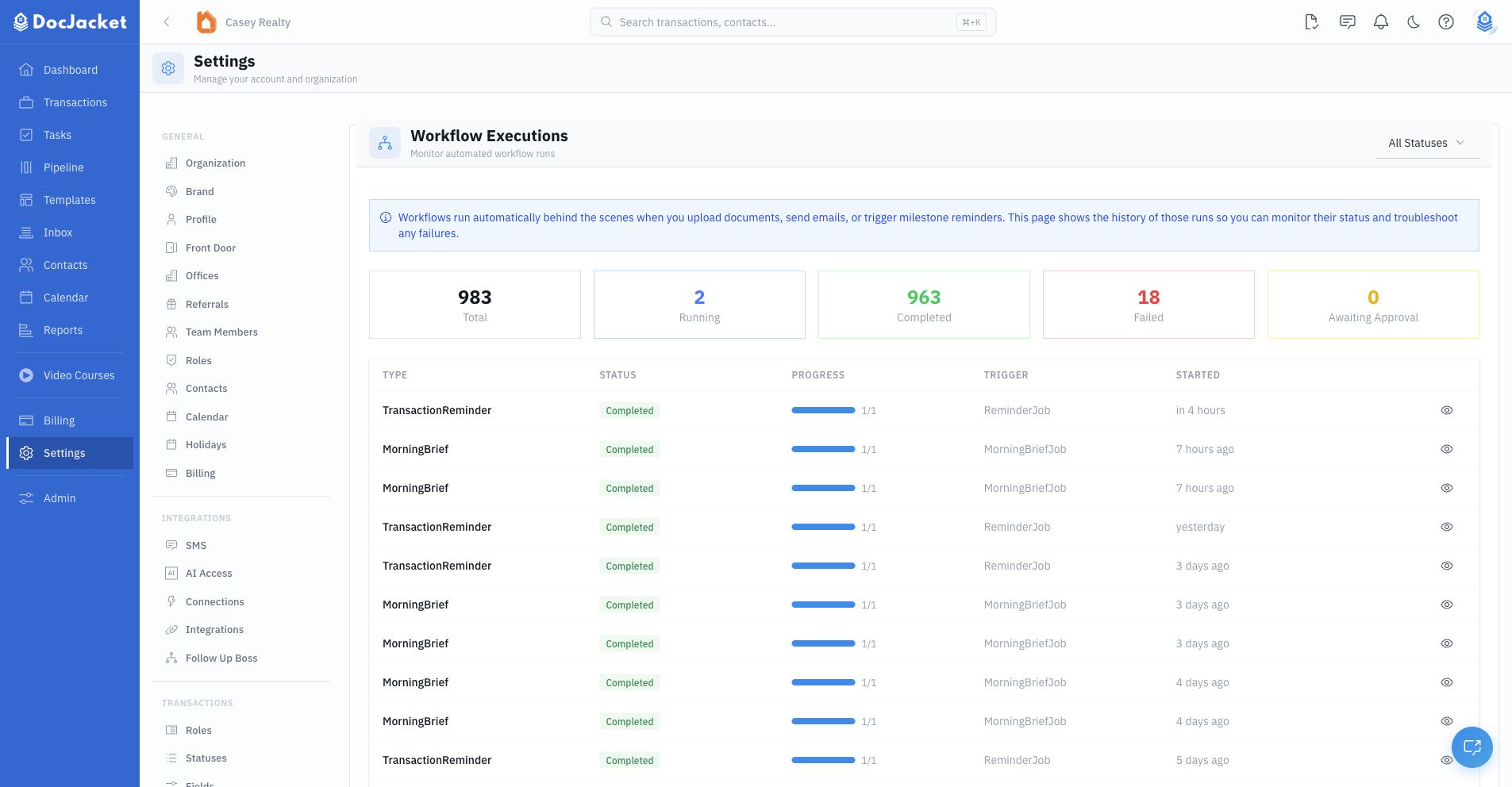
The Workflows page shows:
- Summary cards — Total, running, completed, failed, and awaiting approval
- Status filter — Limit the list to running, completed, failed, or paused executions
- Execution table — Workflow type, status, progress, trigger source, and start time
- Execution details — Step-by-step progress for a specific run
Approval steps
Some workflows pause and wait for your input. For example, AI might extract data from a document and ask you to approve the results before saving them. When this happens, you'll see the workflow in "Awaiting Approval" status.
From the workflow execution detail view, you can:
- Approve — Let the workflow continue with the suggested action
- Reject — Stop the workflow from proceeding
- Retry — Re-run a failed step when retry is available
- Cancel — Stop a pending, scheduled, or awaiting-approval step
If you reject a step, you can enter an optional reason so the team understands why it was stopped.
Step statuses
Individual workflow steps can show statuses such as:
- Pending
- Running
- Completed
- Failed
- Awaiting Approval
- Scheduled
- Dead Letter
- Cancelled
Use these statuses to understand whether a workflow is still moving, waiting for a user, or stuck on a failure.
What workflows handle
Behind the scenes, workflows power features like:
- Document processing
- Email intake and routing
- AI data extraction
- Reminder notifications
- Morning briefings
- Task and key date completion actions