Transactions
Transactions are the heart of DocJacket. Every real estate deal you manage — from the moment a contract is signed to the day it closes — lives here.
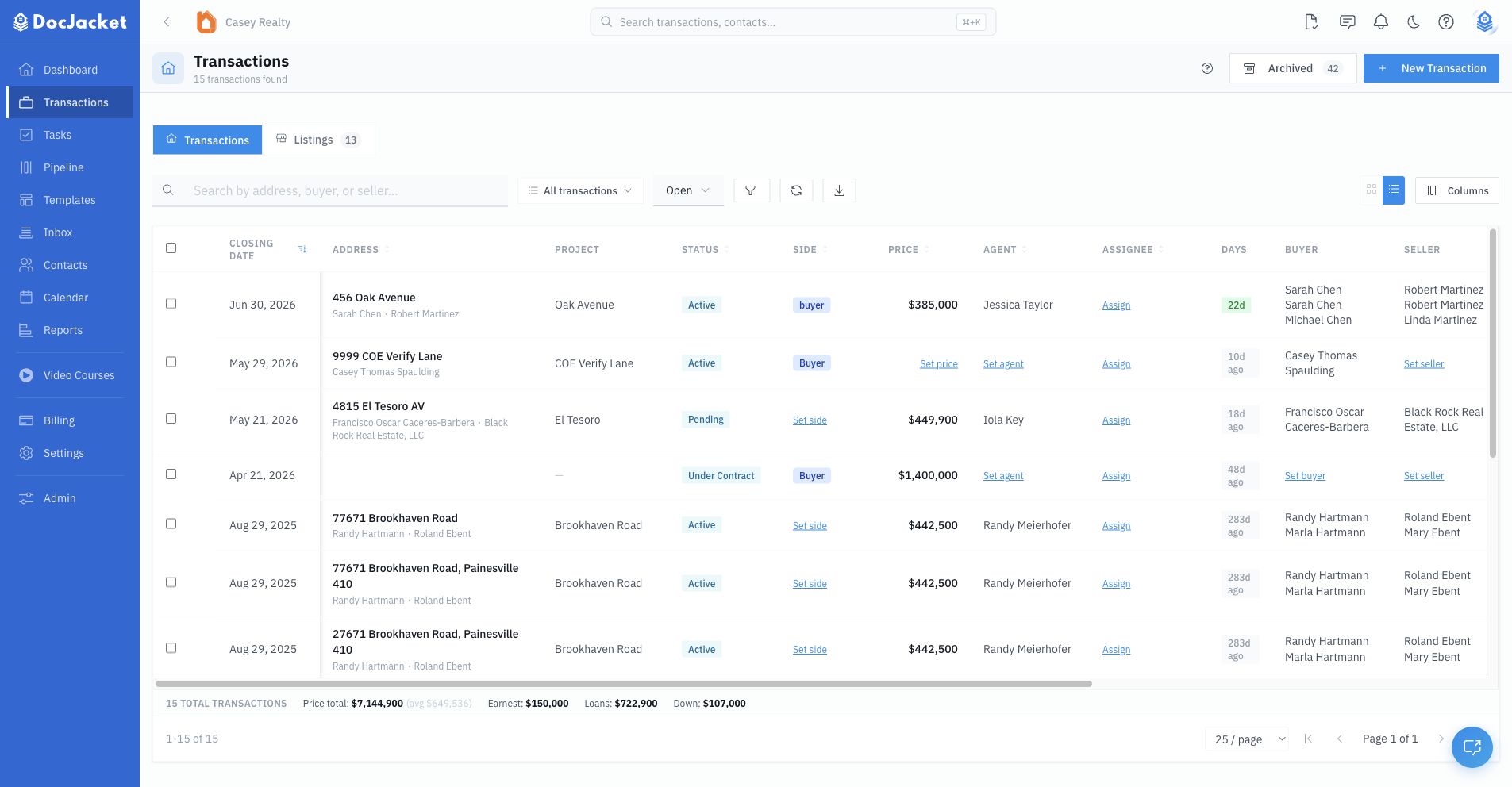
Your Transactions page is home base. It shows every deal you're managing in a searchable, filterable table. You can:
- Search by property address, buyer name, or seller name
- Filter by status, side, price range, closing date range, and other saved-view options
- Switch between Transactions and Listings
- Open saved views for repeat reporting layouts
- Customize columns to show exactly the info you care about
- Export to CSV for reporting or backup
Click any transaction to open it and see the full picture: overview, tasks, documents, contacts, messages, portal, forms, activity, reports, and calculators.
Customizing columns
Show only the information you care about on the Transactions table — add columns, remove columns, or reorder them:
- On the Transactions page, click the columns button above the table
- Check or uncheck a column to show or hide it
- Drag the shown columns to reorder them
Your column choices are saved and remembered. Listings and Purchases keep their own separate column layouts, so you can add or remove columns for each view independently.
Exporting transactions to CSV
Export your transactions to a CSV file — handy for reporting, a backup, or opening in a spreadsheet like Excel or Google Sheets:
- On the Transactions page, click the download icon above the table to download the current list as a CSV
- The export respects your current search, filters, and view, so it includes exactly the deals shown in the table
- To export only specific deals, select their checkboxes and click Export
The CSV includes core transaction details such as address, project, status, side, and agent.
In this section
- Creating a Transaction — Start a new deal manually or with AI extraction
- Start a Deal by Email — Forward a signed contract to your new-deal address
- Transaction Overview — Everything about a deal at a glance
- Key Dates & Financials — Managing dates, prices, and loan details
- Contingencies & Repairs — Track contingency status and repair requests
- Listings — Manage listing workflows inside Transactions
- Transaction Statuses — Open, Closed, Cancelled, and custom workflow statuses