Contract Extraction
One of DocJacket's most powerful in-app AI features. Upload a contract or packet and AI reads through it, then gives you a review screen before anything is saved.
What gets extracted
DocJacket's AI looks for:
- Buyer and seller names — Including multiple buyers/sellers
- Property address — Street, city, state, zip
- Purchase price — Sale price and earnest money
- Key dates — Contract date, closing date, inspection deadline, financing deadline
- Contingency periods — Inspection, appraisal, financing timeframes
- Loan details — Loan type, amount, lender information
- Agent information — Listing and buying agent details
- Source citations — Page references for extracted fields when available
How to use it
- From the Transactions page, click Upload Documents
- Choose whether the upload should create a transaction, create a listing, or update an existing transaction
- Drop in PDFs, JPGs, or PNGs
- If you upload a single multi-page PDF, review the Smart Split step when it appears
- For a single unsplit file, confirm the detected document type and state before extraction starts
- Open the progress page while AI scans the documents
- Review the extracted fields, citations, confidence, and any warnings
- Correct anything needed
- Click the final create or update action to save the result
The upload wizard also shows pending uploads before you start. If a prior extraction finished but was never saved, continue that review instead of uploading the same file again.
Uploads accept PDFs, JPGs, JPEGs, and PNGs up to 25MB each, with up to 20 files per run.
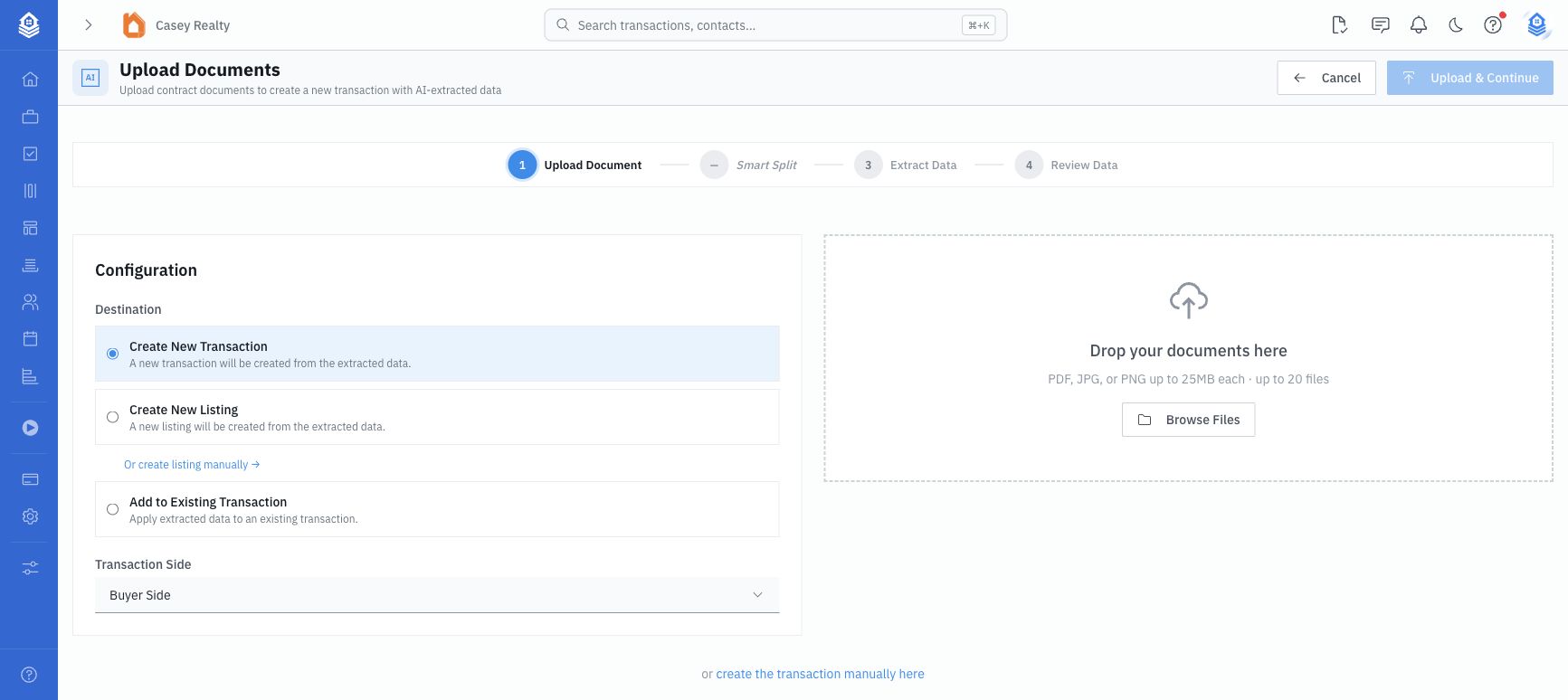
The upload wizard is the starting point for contract extraction when you are creating a new transaction or listing from documents. Choose the destination first, then upload the files for AI review.
Tips for best results
- Typed contracts work best — AI handles typed text with high accuracy. Handwritten contracts may need more manual corrections.
- Standard formats help — Common state association forms (like TAR, CAR, FAR) are well-recognized.
- Multi-page is fine — The AI reads through the entire document, not just the first page.
- Packets are fine — Smart Split can separate a packet into individual documents before extraction.
- Always review — AI is very good but not perfect. A quick scan of the extracted data catches misreads before the transaction is created, listing is created, or an existing transaction is updated.
Review and save
The progress screen shows extraction steps, elapsed time, confidence when complete, warnings when available, and retry/cancel options when something fails.
The review screen is the approval gate. Depending on the destination, the final action is Create Transaction, Create Listing, or Update Transaction. Existing-transaction updates show a changed-field comparison so you can choose which extracted values should overwrite current transaction data.
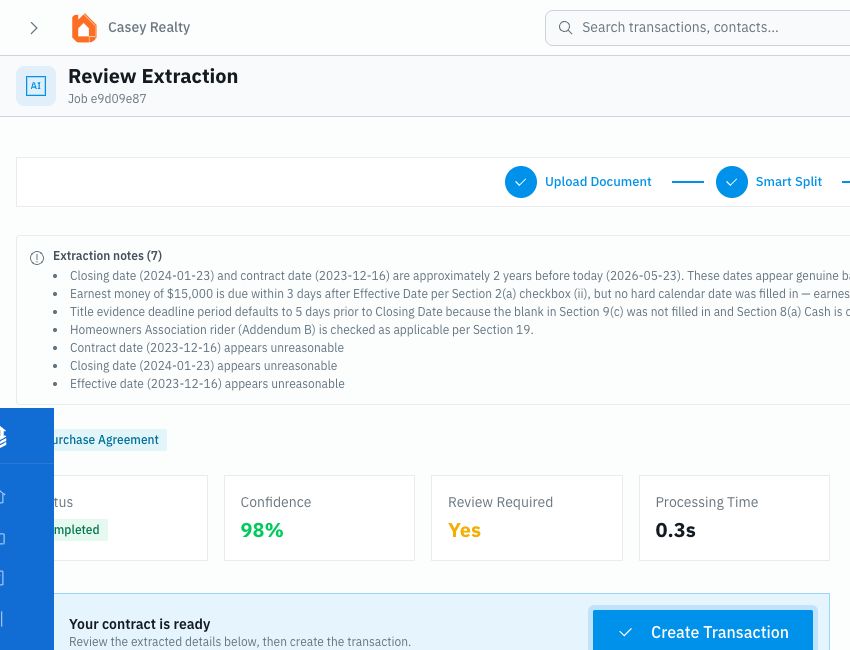
If you leave after extraction finishes but before clicking the final save action, the upload can appear in Pending Uploads, the topbar Review queue, and AI Extractions as awaiting save.
Already have a transaction?
You can also run extraction against an existing transaction. Use the upload wizard's existing-transaction destination, or open a transaction's Documents tab and use Extract Data from the Files subtab.
If an upload is awaiting save
An extraction can finish scanning before it has been saved into a transaction. If you see Pending Uploads on the Dashboard or Awaiting save on the AI Extractions page, open the extraction and finish the review step.
See Extraction Review for the full save-state workflow.