Key Dates List
The Key Dates page shows upcoming and overdue dates across every transaction in your organization. It is useful when you want one operational list instead of opening each deal.
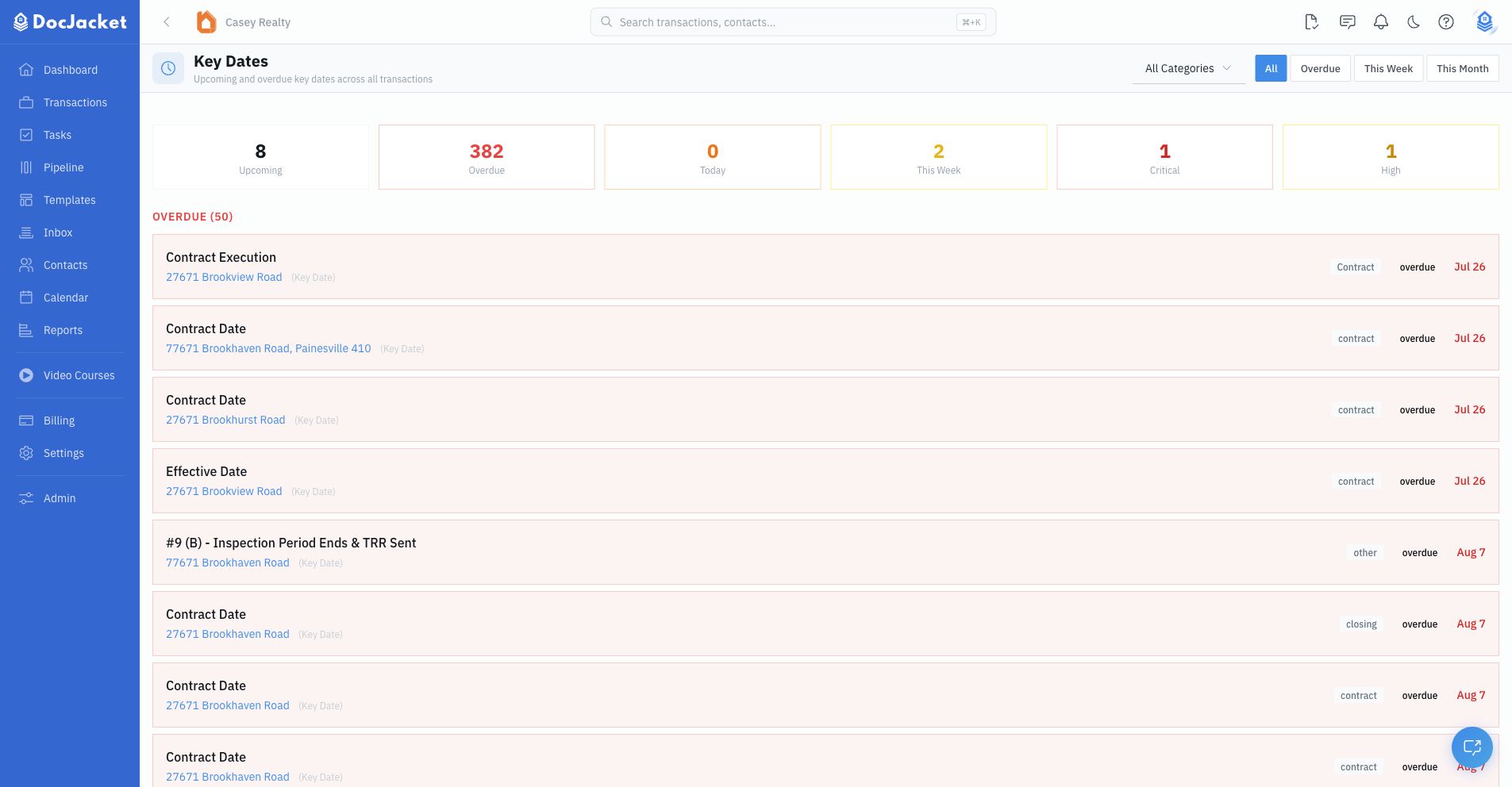
What you see
The page summarizes:
- Upcoming key dates
- Overdue dates
- Dates due today
- Dates due this week or this month
- Critical and high-urgency dates
Each row links back to the related transaction so you can open the deal and take action.
The list is for transaction key dates, not every task on every transaction. Use the Calendar view when you want to see key dates, closings, task due dates, and custom events together on a calendar grid.
Filtering
Use the filters at the top of the page to narrow the list by:
- Category
- All dates
- Overdue
- This week
- This month
How this relates to the calendar
The Calendar view is best for seeing dates on a calendar grid. The Key Dates list is best for scanning urgency, overdue items, and transaction links in one table.
Google Calendar sync is controlled separately. Organization settings decide whether task due dates are included, and each transaction has its own calendar-sync toggle on the Overview.