Front Door
Front Door is your public-facing DocJacket page. Use it to show who you are, what you offer, which packages you provide, recent closings, active listings, and calls to action for people who want to work with you.
Go to Front Door from the app sidebar to manage the page.
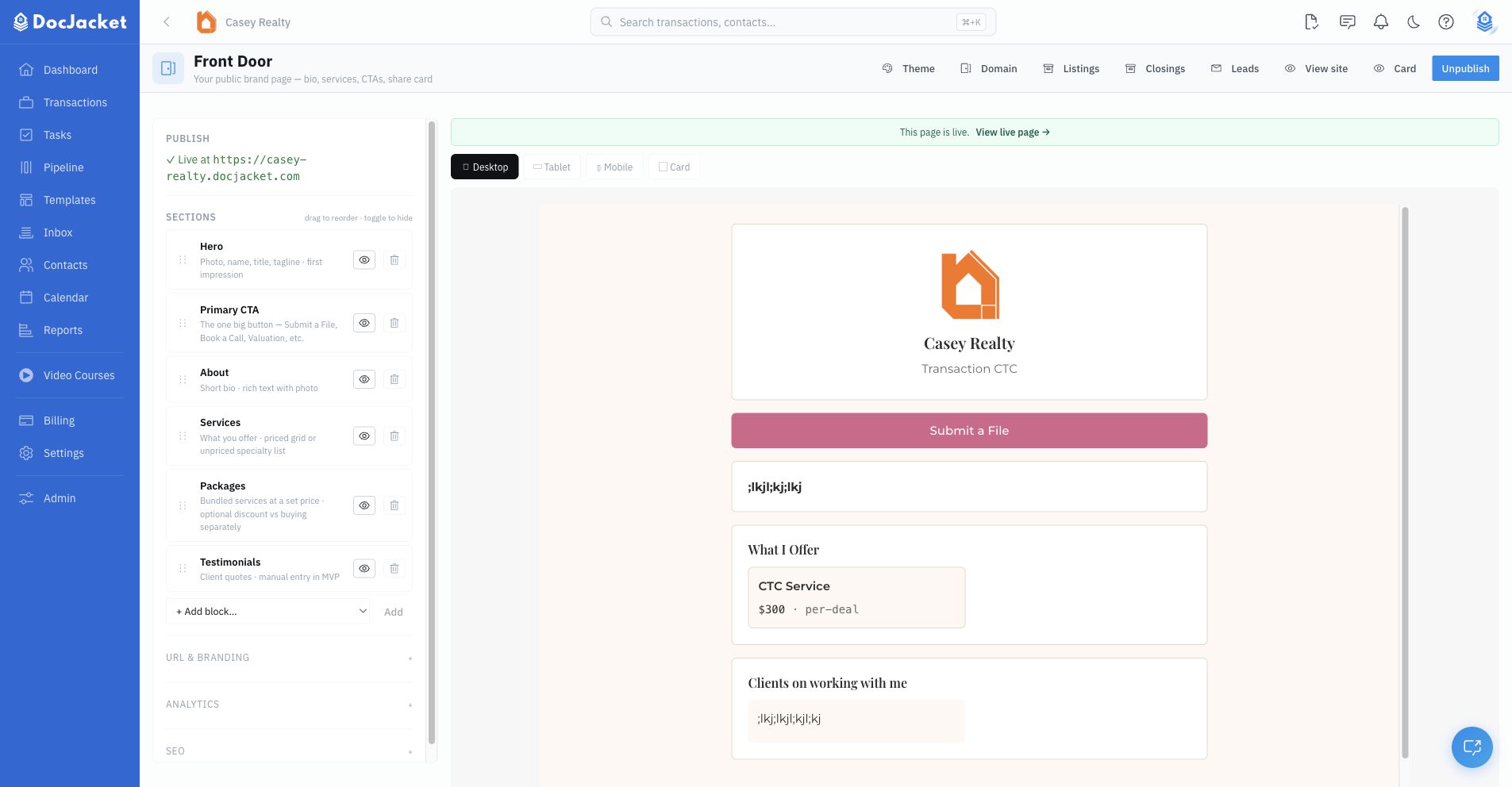
What you can manage
- Sections — The building blocks of your page, including hero, primary CTA, quick actions, services, packages, testimonials, share card, contact info, listings, closings, payment methods, and more
- Services — The offerings catalog that powers the "What I Offer" section
- Packages — Public package options you can show to prospects
- Leads — Incoming Front Door form submissions
- Theme — Brand colors and visual styling
- Closings — Closed deals you choose to feature
- Listings — Active listings you choose to feature
- Custom domain — Point your own domain at Front Door on eligible plans
Publishing
Front Door can be drafted before it is live. Use the preview to check desktop, tablet, mobile, and card views, then publish when the page is ready to share.
Once published, you can share the public URL anywhere: email signature, Instagram bio, text messages, printed QR cards, or your own website.
In this section
- Builder and Sections — Starter templates, section blocks, previews, publishing, analytics, and SEO
- Services and Packages — Build your public offerings catalog and bundle services into packages
- Leads and CTAs — Configure primary actions, route form submissions, and manage incoming leads
- Branding and Domains — Theme your page and connect a custom domain
Tips
- Add services before building packages so your public page has clear offerings.
- Use a starter template if you want DocJacket to create the first section layout for you.
- Feature only closings, listings, payment methods, or contact details you are comfortable showing publicly.
- Use the custom domain page if you want a branded URL instead of a DocJacket subdomain.