Portal for Agents
Agents can receive two related portal experiences: a transaction portal for a specific deal, and an agent hub that lists all active transactions where that agent has access.
Agent hub
The agent hub opens from an agent-level portal link. It uses your organization branding and shows cards for that agent's active transactions.
Each transaction card can show:
- Address and status — The property address and current transaction status
- Closing date — The expected closing date when present
- Role, type, and side — The agent's transaction role plus deal type/side context
- Document count — How many documents are visible through the portal
- Pending task count — How many portal-visible tasks remain open. Select it to open My Tasks for that deal
- Next action — The next visible task due on the transaction, including overdue status
- Calendar shortcut — A quick calendar-subscribe action for that transaction
- View Details — Opens the transaction-specific branded portal
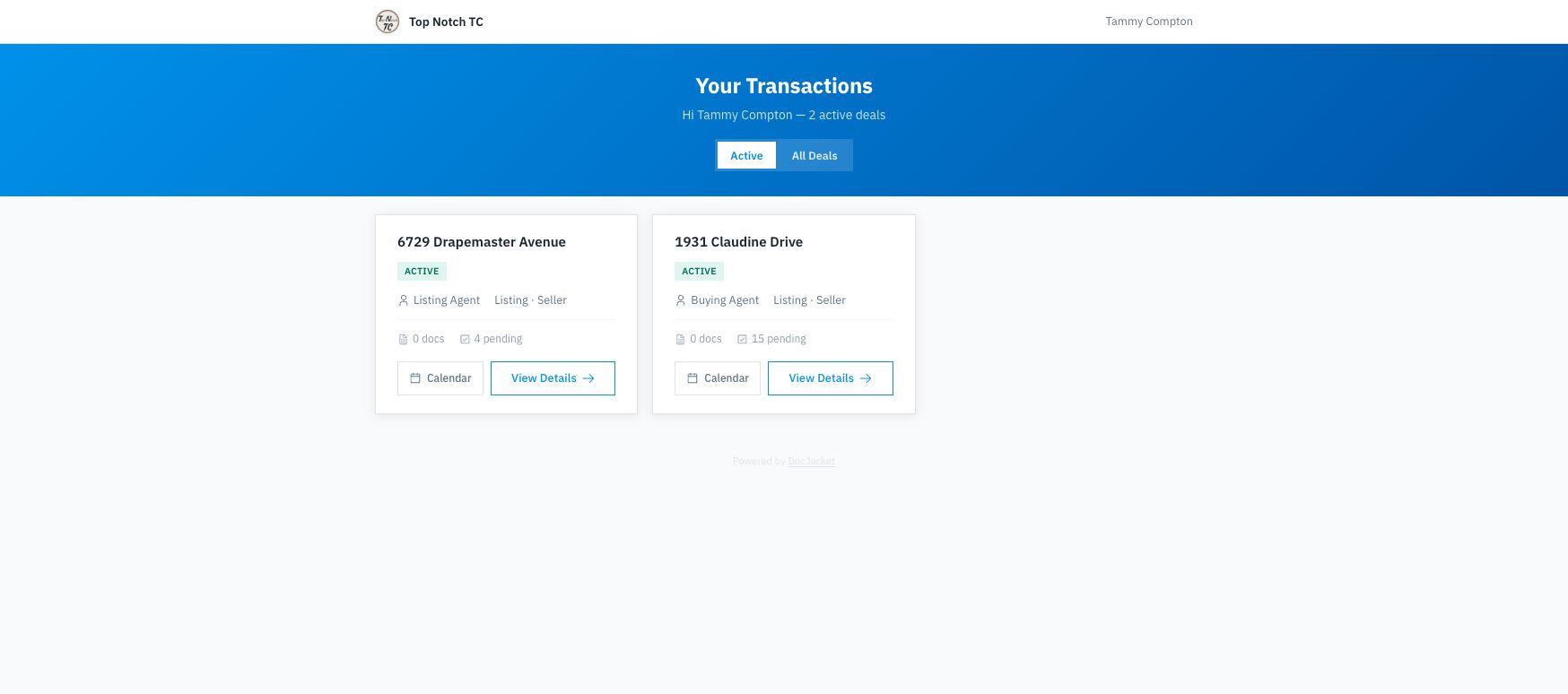
The hub is meant for quick triage. Agents can see which deals are active, how many visible documents and pending tasks are available, then use Calendar for the transaction feed or View Details to open the full portal for one deal.
My Tasks
The hub has a third view alongside Active and All Deals. My Tasks collects every portal-visible task from every deal the agent is on into one list, grouped by when it is due:
- Overdue
- Today
- This week
- Later
- No due date
Each row names its property, so an agent working five deals can see everything on their plate in one place instead of opening each portal in turn. Agents can also reach it by selecting the pending count on any transaction card, which opens the list for that deal.
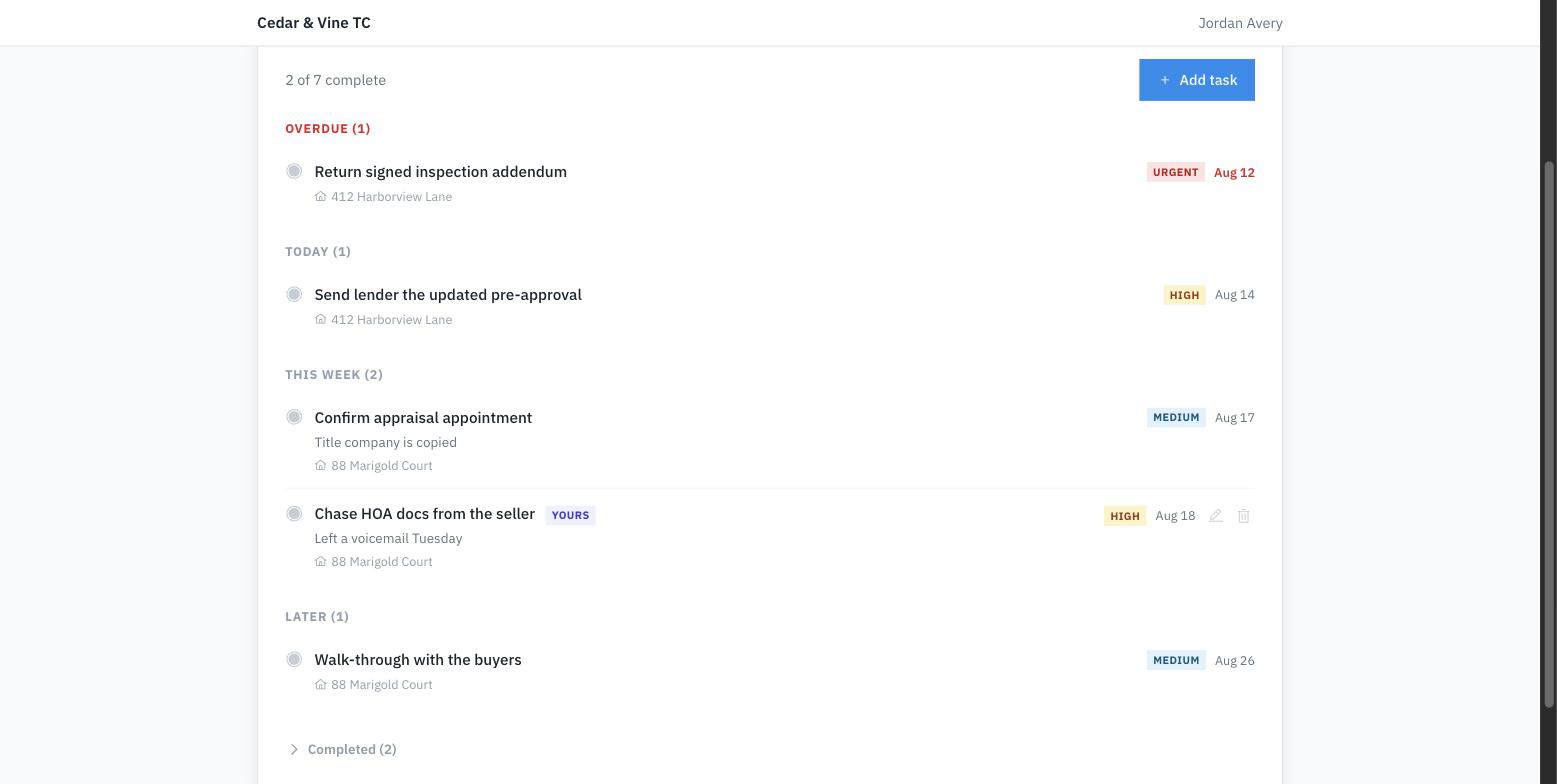
In this example the agent added Chase HOA docs from the seller themselves — their own tasks are marked Yours and carry edit and delete controls. Everything else came from the coordinator, so the agent can complete it but not change it.
A task appears here on the same terms it appears anywhere else in the portal: it must be portal-visible (the eye icon on the task), and if you scoped it to specific portal contacts, only those contacts see it. Completed work shows in a collapsed Completed group when you have turned on Show completed tasks in the portal.
Letting agents manage tasks
By default, agents read the list and you check things off. You can let agents act on it instead.
Go to Settings → Organization → Client portal and turn on Let agents manage tasks from their portal. It is off until you turn it on, and it applies to your whole organization.
With it on, an agent can:
- Check off the tasks you gave them, and reopen one they ticked by mistake
- Keep their own to-do list on the deal — add, edit, and delete tasks they created themselves
An agent can never:
- Edit or delete your tasks. Your checklist is yours; they can only complete or reopen those items
- Reopen a task you skipped. Skipping is a decision you made, and it stays made
- Expose their own notes to your client. Tasks an agent adds for themselves never appear on the client portal
What you see
Tasks an agent adds show up in the deal's Tasks tab and on your Tasks page, marked Added by their name, so outside work never reads as part of your own checklist.
They stay out of your Morning Brief, your calendar, and your overdue counts. An agent's personal reminder is not work you owe, and it will not push your real work out of your morning email.
Before you turn it on
A portal link is designed to be bookmarked, which also means it can be forwarded. Anyone holding an agent's link can do the things listed above. If a link reaches someone it should not have, revoke it from the contact's portal-link controls — that cuts off access for that agent immediately, reading included.
Agents are limited to 50 of their own tasks per deal.
Transaction detail portal
From the agent hub, an agent can open a transaction card to see the full branded portal view for that deal: key dates, shared documents, visible tasks, contacts, service providers, print/download actions, and the live calendar subscription.
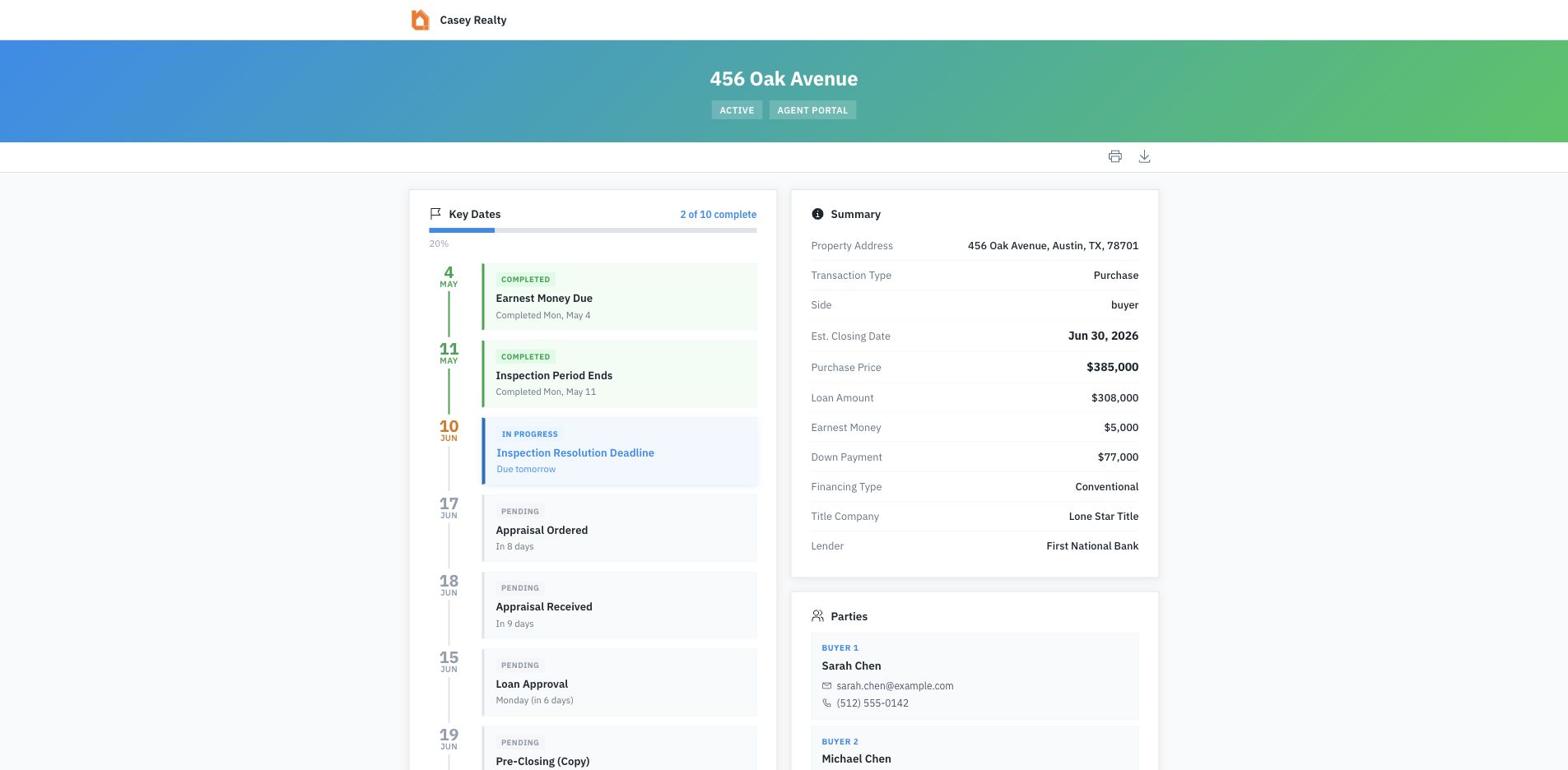
Agent transaction portals can show more deal detail than client portals, including:
- Agent-facing financial fields such as loan amount, earnest money, down payment, seller concession, and financing type when available
- Title and lender details
- Service-provider information that has been exposed to the portal
- A recent activity card when activity is available
- The same print, calendar, and branded one-page PDF tools clients can use
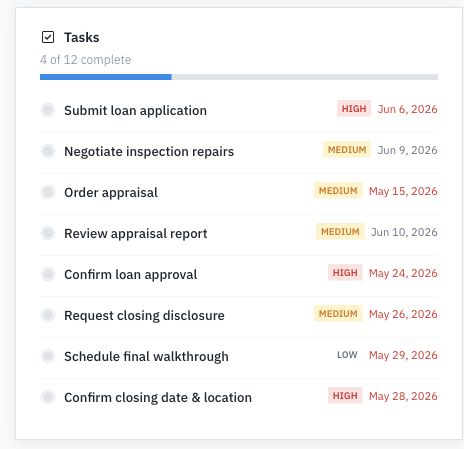
Visible tasks appear in the portal with progress, priority, and due-date context so agents can quickly see what still needs attention.
Agent vs. client portal
The main difference is scope and detail. Clients usually open a single transaction overview. Agents may open an agent hub with multiple transaction cards, then drill into a transaction-specific portal.
You still control access through the portal link and visibility settings. Documents and tasks only appear when they are portal-visible, and link status, expiration, revocation, and access tracking are managed from the transaction Portal tab or the contact's portal-link controls.