Client Portal
The Client Portal gives your buyers, sellers, and agents a branded transaction overview — without requiring a DocJacket account. They can see key dates, shared documents, portal-visible tasks, transaction details, service providers, and status updates through a secure link you send them.
Portal links are recipient-specific. A transaction can have separate buyer/seller, agent, and vendor links, and agents can also receive an agent hub link that shows all of their active transactions in one place.
It's a professional touch that keeps everyone informed and cuts down on "where are we?" calls and emails.
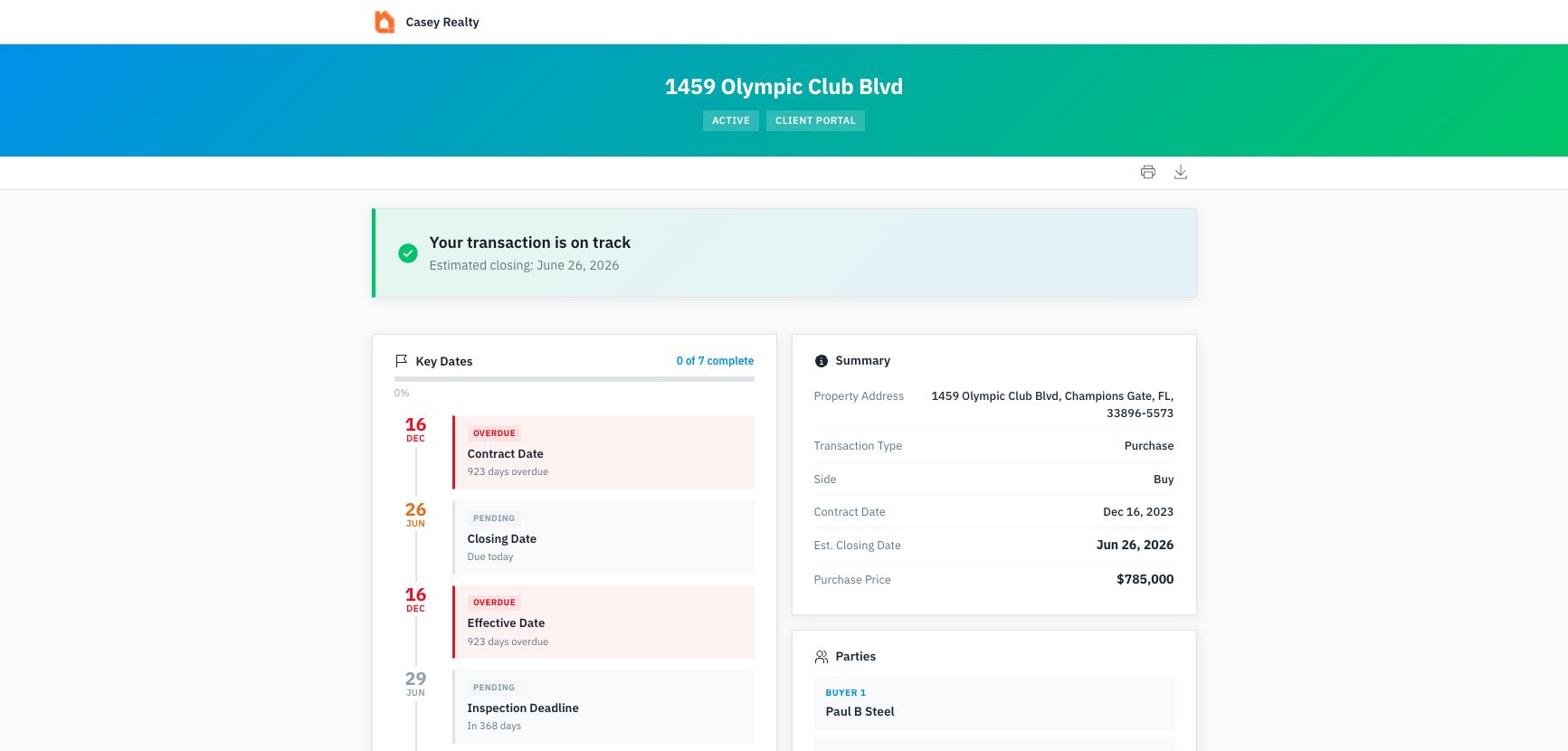
The portal opens as a read-only transaction status page. The top of the page orients the viewer with your branding, the property address, status badge, print/download actions, and the most important transaction sections.
Key features
- Branded experience — Customize the portal with your logo and colors
- Secure access — Each portal link is unique and can be set to expire
- Track engagement — See visits, unique visitors, document downloads, and recent access activity
- Selective sharing — Control which documents and tasks are visible on the portal
- Multi-property support — If the same contact has portal access to multiple active deals, they can switch between properties
- Calendar and summary tools — Viewers can copy a live calendar feed, print the portal, or download a branded one-page summary
In this section
- Setting Up the Portal — Brand, preview, and manage the transaction portal
- Portal for Clients — What buyers and sellers see from their secure link
- Portal for Agents — Agent hub and transaction-detail portal behavior
- Sharing Portal Links — Create, send, expire, revoke, and track portal links
- Portal Links — Manage portal links across every transaction