Portal for Clients
When a buyer or seller opens their portal link, they see a clean, branded overview of their transaction — no login required, no app to download.
What clients see
- Transaction header — Address, current status, organization branding, and any banner message you added
- On-track banner — A reassuring client-facing status message, including the estimated closing date when available
- Key dates — Important deadlines with progress, completion status, notes, and dates marked TBD, N/A, waived, overdue, pending, or in progress
- Calendar subscription — A live calendar URL they can copy into Google Calendar, Outlook, or Apple Calendar
- Documents — Documents marked visible for their portal contact, grouped by category, with preview and download controls only when downloads are allowed
- Summary — Transaction type, side, contract date, estimated closing date, purchase price, and address details when available
- Tasks — Tasks marked as portal-visible (things they might need to complete)
- Contacts — Buyers, sellers, agents, title, lender, and other transaction contacts you choose to expose
- Service providers — Inspectors, appraisers, and other vendors
- Property details — Reference fields such as escrow number, MLS number, or APN when present
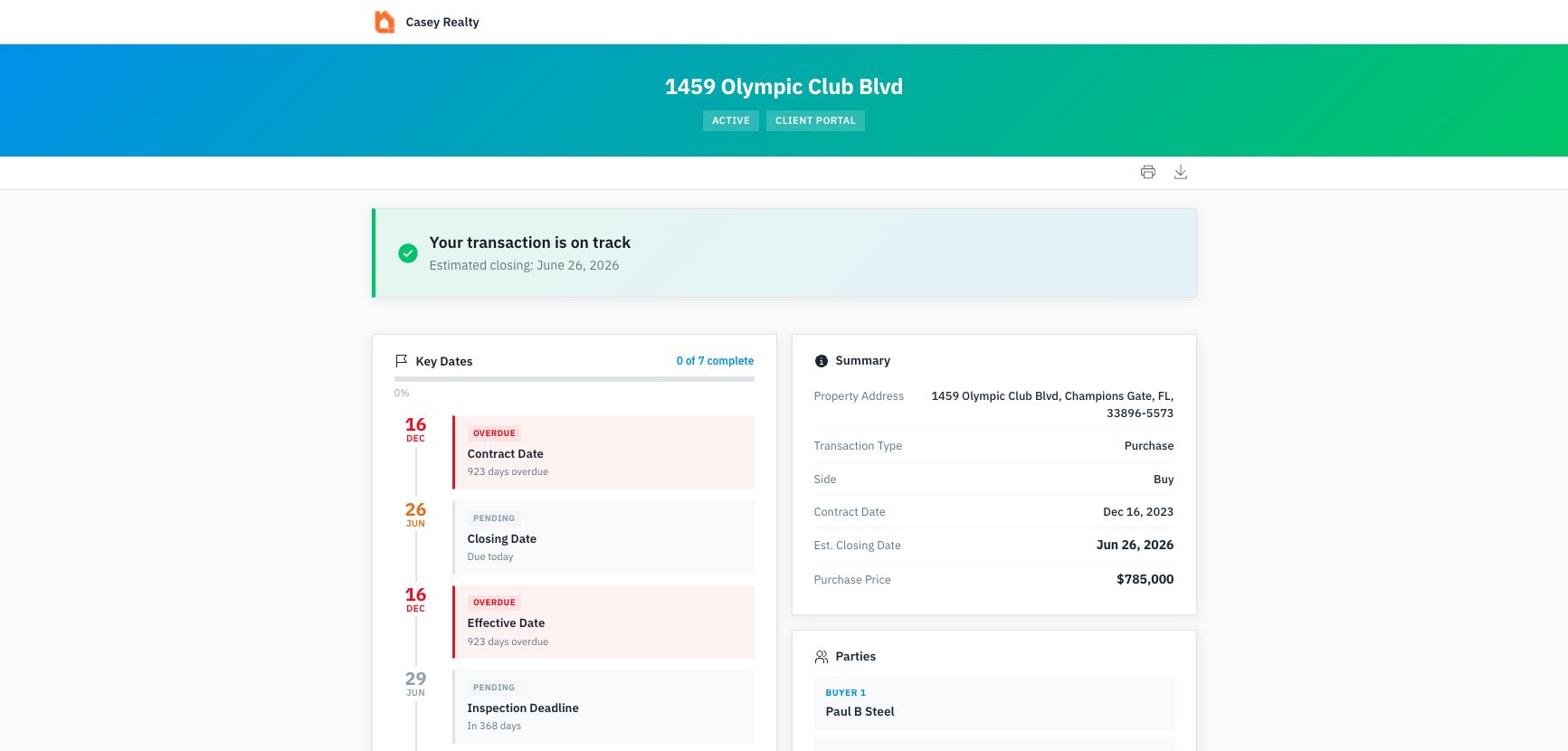
Clients start with the transaction status and key dates first, then move through the summary, parties, contacts, shared documents, tasks, service providers, and property details that are visible for their link.
Portal actions
Clients can use the portal actions to:
- Print the portal view
- Download a branded one-page PDF summary
- Preview PDF and image documents
- Download shared documents when downloads are enabled
- Copy a live calendar feed for the visible key dates
- Switch between properties when the same contact has access to more than one active transaction
What clients don't see
- Internal notes
- Your task list (unless you mark specific tasks as portal-visible)
- Documents that are hidden from the portal or restricted to a different portal contact
- Financial details you haven't shared
- Other transactions
- Other contacts' portal views
- Agent-facing financial/provider detail that is reserved for agent portals
- Agent-facing recent activity
The portal is read-only for transaction data. Clients can view status, dates, contacts, tasks, and documents, but they can't edit the transaction itself.
Multiple active properties
If the same contact has portal access to more than one active transaction in your organization, DocJacket shows a Your properties switcher near the top of the portal. Each property opens its own secure portal link, so the contact can move between active deals without mixing the underlying transaction views.