Your email template library
A transaction is mostly the same handful of messages, deal after deal: an intro to the listing agent, "inspection is scheduled," "here's the DA for title," "please sign the walk-through." The expert TC never retypes these — they keep a library of reusable email templates, essentially one per step.
You'll grow this over time (our most active coordinator has around 200), but the conventions matter more than the count. Get these four right and the library pays for itself.
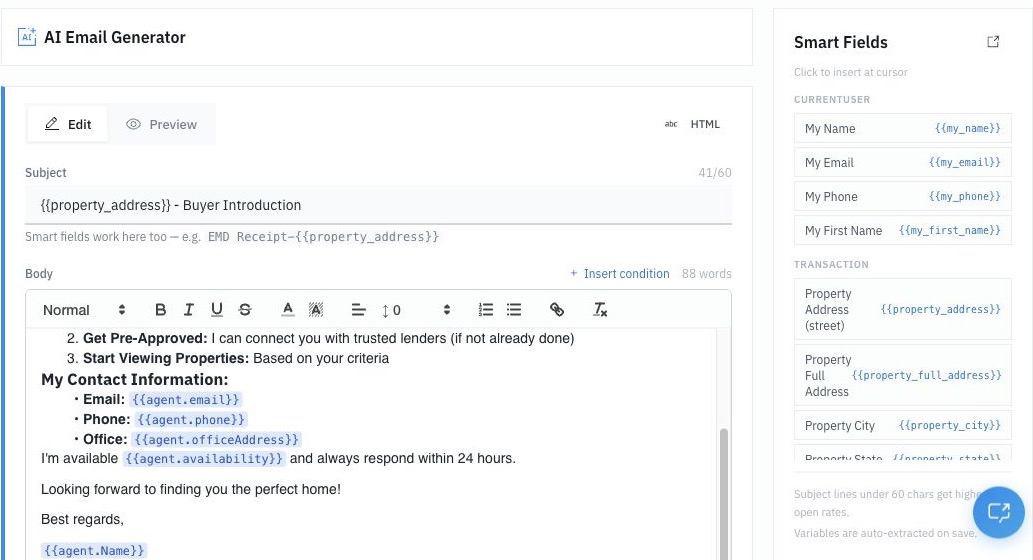
1. The subject line: lead with the property address
Start every email's subject with the property address, then the action:
123 Main St - Under Contract!
123 Main St - Inspection Scheduled
123 Main St - DA to Title
When you're running 25 deals, so are the agents, lenders, and title officers you work with. A property-anchored subject lets everyone thread, search, and file by address instantly. It makes you the easiest TC they work with.
Use the smart field {{property_address}} so it fills in automatically.
2. Build from smart fields, never hand-typed details
Bodies should pull from the deal record, not your memory:
{{buyer_first_name}}, {{listing_agent_name}}, {{title_company}}, {{title_officer}}, {{home_inspection_date}}, {{property_address}}
A template written with smart fields personalizes itself on every deal. You write it once; it's correct forever. (See Smart Fields for the full list.)
3. Keep bodies short and warm
The best transaction emails are 2–4 lines. Example — an intro to the listing agent:
Subject: {{property_address}} - Under Contract!

Hello {{listing_agent_name}},

My name is [Your Name], and I'm the Transaction Coordinator for this
file. I'll be your main point of contact on behalf of the Buyer's Agent.

Attached are the executed documents for your records.

Title Company: {{title_company}}

Best,
[Your Name]
Clear, professional, scannable. No walls of text.
4. Name templates so you can find them fast
Use a consistent Side - Step convention: Buyer - Inspection Scheduled, Seller - Status of Loan Application, Buyer - DA to Title Company. If you serve a bilingual client base, add the language: Buyer - Inspection Scheduled - Spanish.
The 10 to build first
You don't need 200 to start. Build your most-sent messages first:
- Intro to Listing Agent
- Intro to Lender
- Inspection Scheduled
- Appraisal Scheduled
- DA to Title Company
- HOA / Estoppel request
- Lien Search request
- Final Walk-Through Scheduled
- Please Sign (walk-through / reinspection)
- Request for Review (post-close)
Create them at Templates > Email Templates > New Template.
Most of these messages are universal. A few — lien search, HOA estoppel, your title practices — vary by state and market. Keep the universal ones generic; adapt the rest to how things work where you close.