Transaction Reports
Use a transaction's Reports tab to create client-ready summaries from live transaction data. Reports can include property details, contacts, tasks, documents, key dates, custom notes, and other sections defined by your SitRep templates.
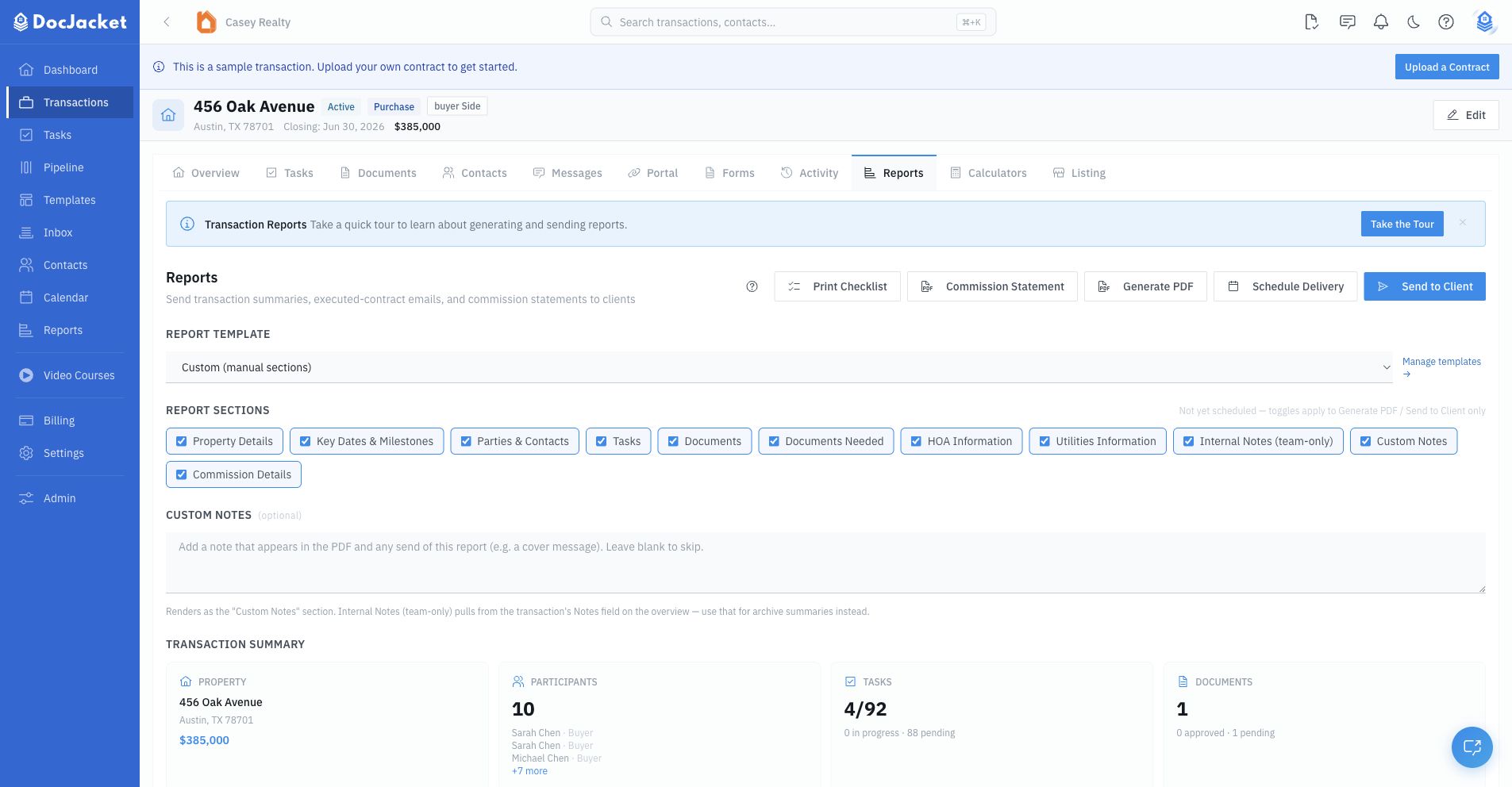
Open the Reports tab
- Open a transaction
- Click Reports
- Review the transaction summary and selected report sections
The page loads the current property details, participants, task counts, document counts, and key-date rows so you can confirm the report content before sending or downloading.
Choose a report template
Use Report Template to choose a saved SitRep template, or use Custom to manage the section choices manually.
When you choose a template, DocJacket applies that template's saved sections. You can still override the section toggles on the transaction report before generating or sending.
See SitRep Templates for template setup.
Select sections
The Report Sections controls decide what goes into the generated report. If the transaction already has a delivery schedule, section changes are saved to that schedule automatically after a short delay. If there is no schedule yet, section changes apply to the current Generate PDF or Send to Client action.
Use Custom Notes for one-off report notes, such as a cover message or client-facing update. Internal transaction notes are separate and come from the transaction overview.
Generate files
The transaction Reports tab includes these file actions:
- Export file record — exports the transaction's communication log and documents as one archive for your compliance file. See File Record & Communication Log.
- Generate PDF — creates the selected transaction summary PDF
- Print Checklist — generates a checklist-style PDF from the transaction tasks
- Commission Statement — generates a commission statement for the transaction
PDF branding uses your organization's report colors and footer text from organization settings.
The Reports tab holds two different things. The status report is what you send to a client — property details, key dates, task progress. The file record is the compliance archive you keep: the full email and text history plus every document. If you already use CTM, SkySlope, or Dotloop for broker review, the file record is what you export at closing to file alongside it.
Send to clients
Click Send to Client to send the selected report sections by email. You can choose transaction contacts with email addresses and add extra email addresses manually.
If Gmail or Outlook is connected, the report email sends from your connected mailbox. Otherwise, DocJacket sends it and BCCs you.
Schedule delivery
Use Schedule Delivery to send recurring SitReps. A schedule includes:
- Daily or weekly frequency
- Day of week for weekly reports
- Send time and time zone
- Report template
- Recipients from transaction contacts or typed email addresses
You can pause, resume, edit, or delete the schedule from the Delivery Schedule card.