Tasks
Tasks are the backbone of every transaction. They track every to-do from contract to close — with due dates, priorities, assignees, email automation, and subtasks.
You can access tasks in two places:
- Inside a transaction — The Tasks tab shows tasks for that specific deal
- Organization-wide — The Tasks page in the sidebar shows tasks across all your transactions
Inside a transaction, tasks are grouped by Playbook section. Each section shows progress, can be collapsed, and can be saved back as a Playbook template. Rows show the task name, due date, completed date, notes, email/send indicators, and portal visibility.
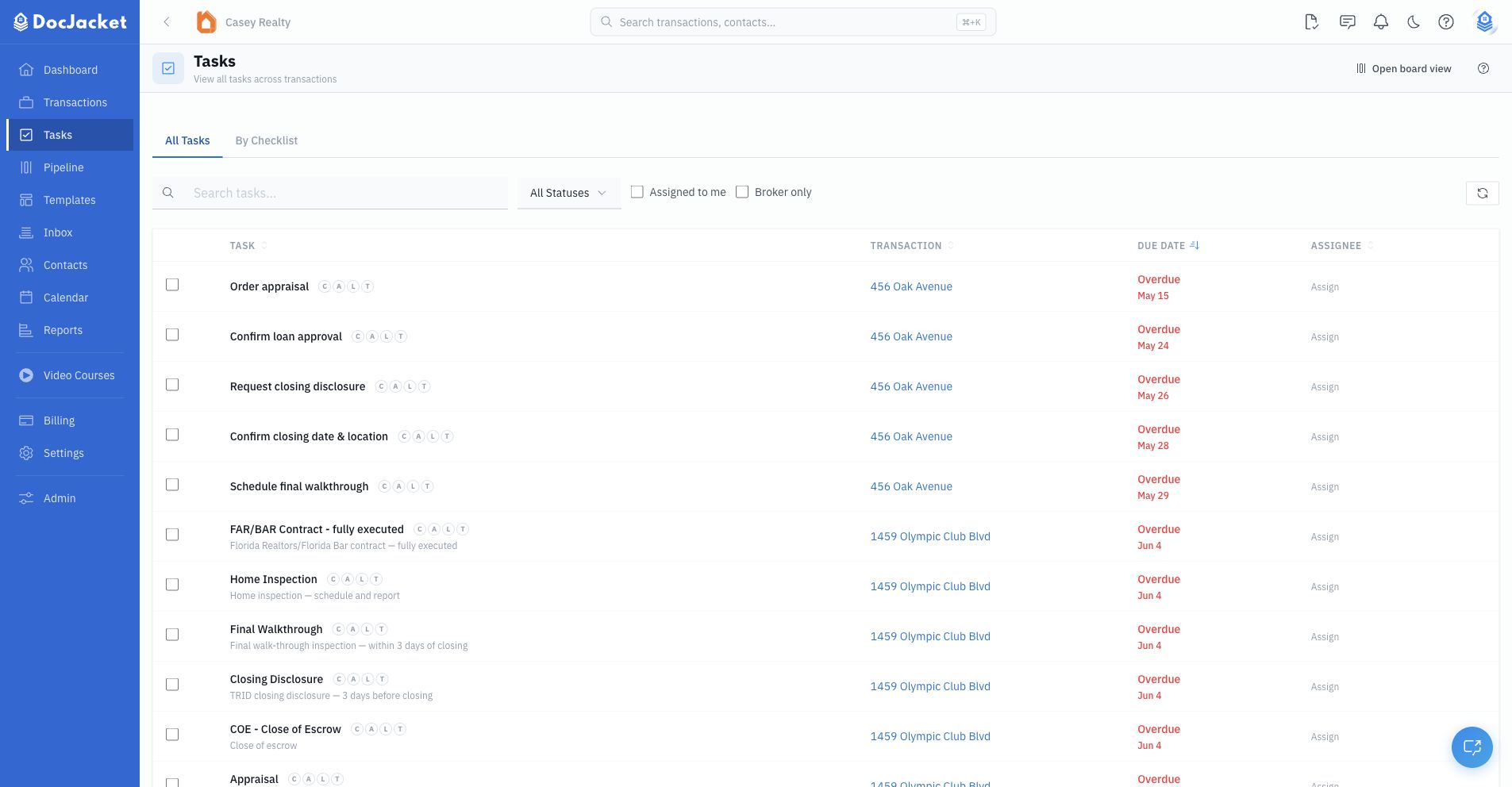
The organization-wide Tasks page is for daily work across all transactions. Use it to search, filter by status or priority, show only tasks assigned to you, review broker-only work, or switch to a Playbook-grouped view.
Common actions
- Quick-add a one-off task from a transaction
- Use Add Playbook to add a saved task workflow
- Generate suggested tasks for the transaction
- Complete, skip, or reopen tasks
- Assign tasks to team members
- Link email templates or schedule emails from task dates
- Show selected tasks on the client portal
- Track subtasks and team comments in the drawer
In this section
- Creating Tasks — Quick add, Playbooks, generation, and task table controls
- Playbooks — Reusable key date and task workflows
- Subtasks — Breaking tasks into steps
- Email Automation — Prepare, review, schedule, or send task-linked emails
- Task Options — Portal visibility, completion behavior, conditional tasks, reminders, and tracking fields
- Waiting Items — Track items you are waiting on from other people