Task Options
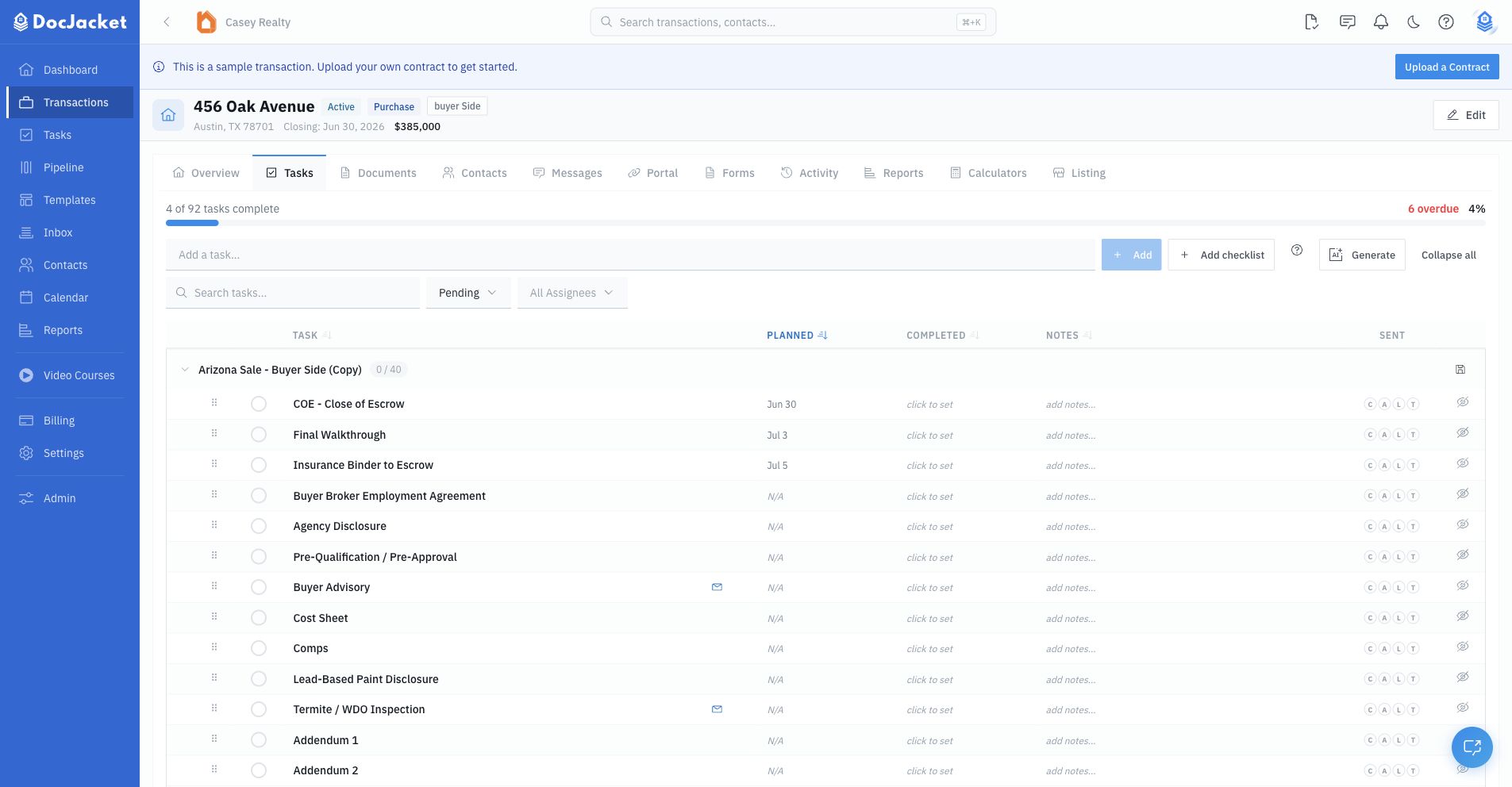
Click a task to open its detail drawer. This is where you change a task's due date (reschedule or move a task), reassign it, and edit its details. The drawer starts with the core task fields, then includes collapsible sections for the settings that affect visibility, automation, reminders, comments, and reporting.
Core fields
Use the top of the drawer for the basics:
- Status actions — complete, skip, or reopen the task
- Due Date — when the task is due
- Assignee — the team member responsible for the work
- Depends On — another task that should be completed first
- Instructions — internal steps or guidance for the assignee
If a task is blocked by another task, DocJacket shows a blocked indicator until the dependency is cleared.
Due dates: linked to a key date, your own, or cleared
Tasks that came from a Playbook are usually linked to a key date - "Option Fee Receipt" lands one day after the Effective Date automatically, with no typing.
- Type your own date and it replaces the calculated one. If the anchor key date later moves, the date rule recalculates from the new anchor.
- Unlink a task's due date from a key date by clearing the date: a cleared date stays cleared, and DocJacket will not re-date the task when key dates shift. Set a date again whenever you're ready.
- A task with no due date is fine - it simply isn't planned yet.
Portal Visibility
Use Portal Visibility when a task should be visible to transaction parties in the portal.
You can:
- Turn Show on Portal on or off
- Leave contact selection empty so all portal contacts can see it
- Select specific portal contacts when only certain people should see it
Example: Show "Submit buyer's pre-approval letter" to the buyer-side portal contact, but keep internal compliance tasks hidden.
A portal-visible task also appears in the agent's My Tasks list on their portal hub. If you have turned on Let agents manage tasks from their portal, agents can check these off themselves — they still cannot edit or delete them. See Portal for Agents.
Leaving contact selection empty means every portal contact on the deal can see the task, and any of them can complete it when that setting is on. Select specific contacts when it should be one person's job.
Report Visibility
Tasks also carry a second eye for SitRep reports. Every task shows on generated and scheduled SitReps by default; turn Show on Report off to keep a task out of the report's task section without touching its portal visibility. The two eyes are independent — a task can be portal-visible but report-hidden, or the reverse.
Reminders
Use My Reminders for your own notifications. Each signed-in teammate has separate settings.
- Save a due date on the task.
- Choose On the due date, or 1, 2, 3, 5, 7, or 14 days before.
- Click Add reminder. Choose Email, SMS, or Email + SMS for that timing.
- For each additional timing, choose the timing and click Add reminder again. Choose its delivery channel. Selecting a timing alone does not add it to your reminder list.
- Check that every timing appears in the list, then click Save my reminders to save them together.
You can use each timing once. Removing one leaves your other reminders and your teammates' settings alone. SMS needs a verified mobile number and an available organization SMS service.
The scheduled-date preview helps you check the timing. Past send times are skipped; completing or skipping the task, or archiving the transaction, stops pending delivery. Removing and re-adding the same timing does not replay an occurrence already sent or cancelled for that due date.
Example: For "Order home warranty," choose 7 days before and click Add reminder. Then choose 2 days before and click Add reminder again. With both rows visible, click Save my reminders. You now have two personal reminders; your teammates' settings are unchanged.
Remind someone about a task
My Reminders only notify you. To remind someone else — like the agent who owes a signature or a resolution — use Remind someone in the task drawer. It opens the same reminder composer used on key dates:
- Pick who gets it — deal contacts by role or by name
- Choose email, text message, or both, with a preview of the text before you save
- Choose how many days before the due date it goes out
Reminders to contacts respect texting consent and opt-outs, and the task still needs a due date first.
Example: "Close out the listing in the MLS" is due the day after closing — remind yourself by text, and remind the agent three days ahead by email.
Task emails
Use Task emails to link an email template to the task. Linked task emails can be reviewed and sent from the task, and completion can prompt you to send or skip any pending linked emails. When a linked email is configured to require review, it appears in the topbar Review queue's Ready for Review tab before sending.
When you open a task email to review and send it, the To, CC, and BCC lines come prefilled from the template's recipient roles, resolved to the actual people on this deal — and you can edit any of them before sending. If a CC line comes up blank, the drawer tells you why, role by role: usually the role isn't assigned on the deal, or the person in it has no email address on file. Add the contact to the role (or add their email) and reopen the email to see it fill in.
Linked emails can use:
- The task's auto-send date
- The task's due date
- A transaction key date such as Closing Date or Inspection Deadline
- A before/on/after offset from that anchor
Use this section for deal-specific changes. For repeatable automations that should exist every time a Playbook is applied, configure the task email in the Playbook template first.
Changed dates and an open email draft
A newly rendered template reads the transaction's saved dates. An email already open for editing is a snapshot: changing a date does not silently replace your draft.
Save the transaction date first, then click Refresh in the composer (its tooltip reads "Refresh the transaction data in this email draft"). The subject and message are rerendered from the template with the latest saved values in one click, replacing any edits you made to that text; recipients, attachments, and the selected signature stay as they are. Refreshing does not send the email. Older drafts that store the signature inside the message cannot be refreshed — update their dates by hand or start a new email from the template.
See Email Automation for the full workflow.
Scheduled emails
Use Scheduled emails when the message should send from the task due date, instead of waiting for the task to be completed.
From the drawer, you can schedule a new email, edit pending or held scheduled emails, send one now, or cancel it. Scheduled emails send from the TC's connected Gmail or Outlook account when available. Upcoming and held scheduled emails also appear in the Review queue's Scheduled tab.
Options
The drawer's Options section includes settings for how the task behaves:
- Key Date — highlights the task as an important date-style item in task and calendar views. This is not a replacement for the transaction's canonical key dates.
- Notify on Complete — sends linked emails when the task is marked complete
- Notify Contact — chooses the contact for completion notification when enabled
- Conditional Task — the task applies only when a condition on the deal is true, and is skipped automatically at Playbook apply when it isn't
- Est. Hours and Actual Hours — track estimated and actual work time
Conditional Task
Mark a task Conditional when it only applies to some deals — and pick the Transaction field that decides. The system then knows whether the task applies on its own: when a Playbook is applied, the deal's own details decide whether each conditional task is created. You do not need to make a different checklist for every variation like warranty, financing, or cash deals.
- Cash deal and Sellers only create the task only when that is true on the deal — financing-only work never appears on a cash deal.
- Contingency conditions — HOA, radon, septic, well, pool, solar, lead paint, inspection, smart home, and home warranty — skip the task only when the deal marks that contingency N/A.
The condition is set in the Playbook builder: open the task, check Conditional Task, and choose the Transaction field. The label appears on the task row so your team can see why the task exists.
Example: "Schedule septic inspection" with the Septic contingency condition — created on deals with a septic contingency, skipped when the deal marks it N/A.
Comments
Use Comments for team notes about the task. Comments are visible to team members and can be edited or deleted by their author.
Example: Add a comment when the lender says the appraisal is delayed, so the next person opening the task sees the latest update.