Transaction Email
Open a transaction and click Email to manage communication for that deal. This workspace is organized into four tabs: Inbox, Timeline, Scheduled, and Notes.
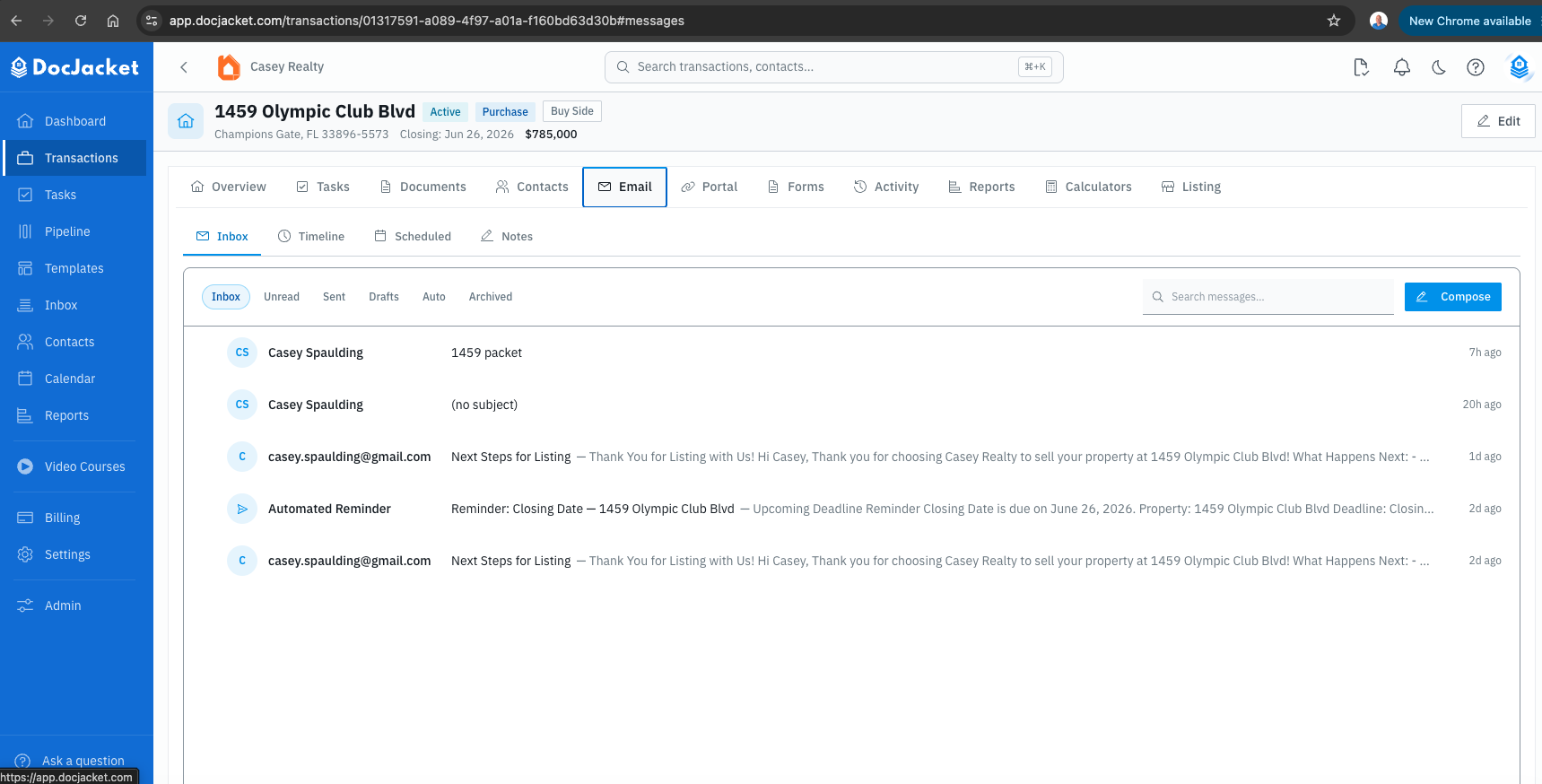
Transaction communication is intentionally handled inside the deal workspace so emails, forwarded deal messages, scheduled sends, and notes stay attached to the correct transaction.
Inbox
The Inbox tab is the transaction email center. Use it to:
- Filter messages by Inbox, Unread, Sent, Drafts, Auto, or Archived
- Search transaction emails by subject, recipient, or content
- Open an email to reply, reply all, forward, star, mark read or unread, archive, or delete
- Select multiple messages and bulk mark read, archive, or delete
- Review delivery status and provider message IDs when available
- Approve or dismiss suggested actions shown on a message
If no Gmail or Outlook account is connected, DocJacket shows a connect prompt before you start sending email.
Move or remove a filed email
When an inbound email was filed onto this deal — either by you assigning it from the intake queue, or automatically — the message detail panel adds two extra actions:
- Move to another deal — reassign the email (and its attachments) to a different transaction.
- Remove from this deal — detach the email so it can be routed somewhere else.
These actions appear only on filed inbound emails, and they are the fix when a message lands on the wrong transaction. See Getting Email Into DocJacket for how messages get filed in the first place.
Moving or removing a filed email carries the message and its attachments along — so an automatic suggestion that picked the wrong transaction is a quick, safe fix.
Timeline
The Timeline tab is the chronological communication record for the deal. It combines email, notes, and pending scheduled items into one view so you can answer, "What happened on this transaction?"
Timeline rows can show:
- Inbound and outbound emails
- Auto-generated messages
- Scheduled emails
- Internal notes
- Attachments when a communication includes files
The timeline also shows the deal email address when one exists. Copy that address when you want to forward outside email into the transaction. If the transaction does not have a deal email address yet, generate one from the timeline.
Scheduled
The Scheduled tab shows emails queued for the transaction. It combines:
- Template or task-driven scheduled emails
- One-off emails created from the Inbox tab's Schedule option
Rows show the subject, recipients, send time, and whether the item is pending, held, or failed. Depending on the source, you can edit, cancel, or send now. Sent items move back into the Inbox tab.
If there is no connected Gmail or Outlook account, the Scheduled tab shows a connect prompt because scheduled emails need a mailbox to send from.
Notes
The Notes tab is for internal transaction notes. Add rich-text notes, reply to notes, pin important notes, and edit or delete notes you created.
Notes are internal team communication. Use email when the message should go to a client, agent, or vendor.