DocDrop
DocDrop gives a transaction its own email address. When someone emails documents to that address, the attachments are saved to the right transaction automatically.
How it works
Each transaction can have its own DocDrop email address. When the address is active, use Copy DocDrop on the transaction overview to copy it.

- Copy the DocDrop email address
- Share it with your contacts, such as agents, lenders, title companies, and inspectors
- Ask them to email documents to that address
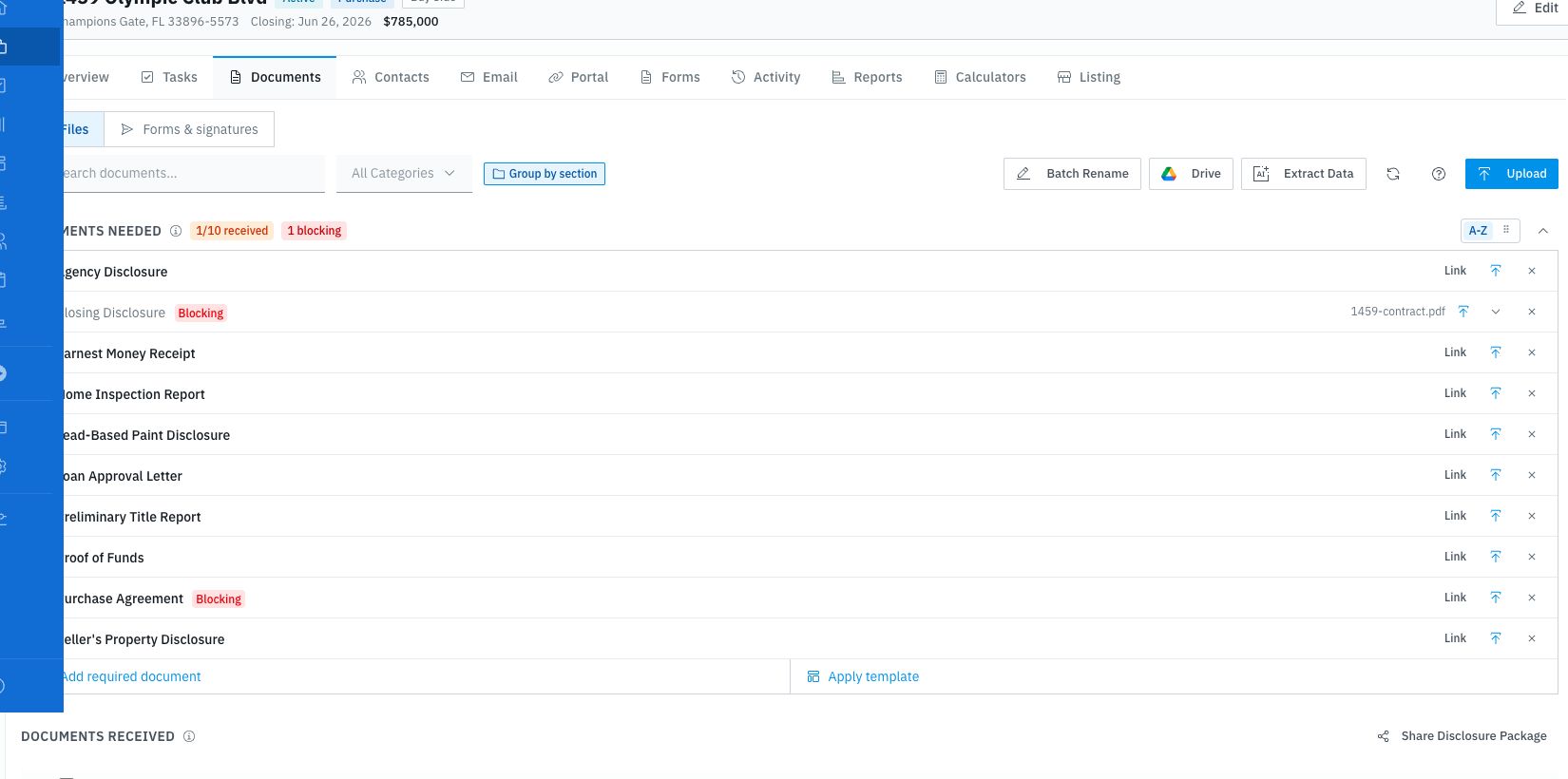
- Review the received files in the transaction's Documents tab
DocDrop is transaction-specific, so documents sent to one transaction's address are filed on that transaction.
Where files appear
Incoming attachments are added to the transaction's documents. Open the transaction and go to Documents to review, rename, categorize, share, or run document tools on the files.
Why this is useful
Instead of asking contacts to upload to a portal or send files to your personal inbox, give them the DocDrop address. Documents arrive exactly where they need to be, organized in the right transaction.
This is especially handy for:
- Lenders sending pre-approval letters or loan documents
- Title companies sending title commitments and closing statements
- Inspectors sending inspection reports
- Agents forwarding signed documents
Tracking activity
Use the transaction documents list to confirm that the file arrived. If an expected file is missing, check that the sender used the correct transaction's DocDrop address and that the email included an attachment.
Tips
- The DocDrop email address is unique per transaction, so documents always land in the right place
- Multiple attachments in a single email are each saved as separate documents
- Forward emails with attachments directly to the DocDrop address when a document was sent to your personal inbox first
- Use the document tools after the file lands to rename it, assign a document type, share it, or extract data