AI Data Extraction
Use Extract Data when you already have a transaction and want DocJacket to read new documents for that deal.
This is different from the Upload Documents flow you use when creating a new transaction, listing, or existing-transaction extraction run. This page covers the transaction Documents > Files > Extract Data shortcut for an existing transaction.
How to use it
- Open a transaction and go to the Documents tab
- On the Files subtab, click Extract Data
- Upload the documents you want DocJacket to read
- Click Extract Data
- Open the progress page while extraction runs
- Review the extracted fields, citations, confidence, warnings, and changed-field comparison
- Select which changes to apply
- Click Update Transaction when the extracted data is correct
Nothing changes on the transaction until you finish the review-and-save step.
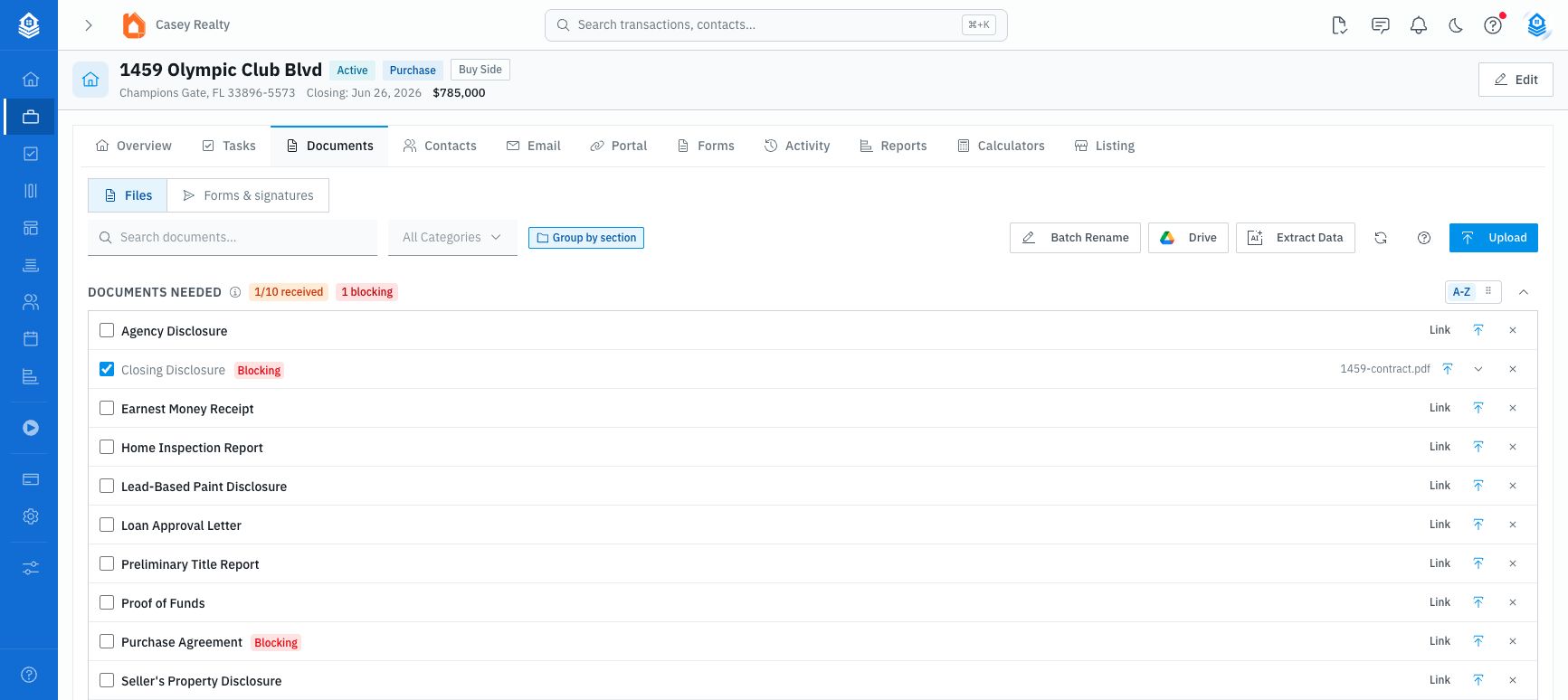
Use the transaction-level Extract Data shortcut when the deal already exists and you want new documents to update that deal instead of creating a new transaction.
If extraction finishes but you leave before clicking Update Transaction, return from AI Extractions, Pending Uploads, or the topbar Review queue to finish saving.
What happens to uploaded files
Files uploaded through transaction Extract Data are linked to that transaction and appear in the Documents Received table. The upload accepts PDFs, JPGs, JPEGs, and PNGs up to 25MB each. Multiple files are supported.
If you upload multiple files, DocJacket runs grouped extraction and then opens a merged review. If only one document succeeds, DocJacket can send you straight to the single-document review screen.
Smart Split is part of the broader Upload Documents extraction wizard. From an existing transaction's Extract Data page, uploaded files go directly into extraction.
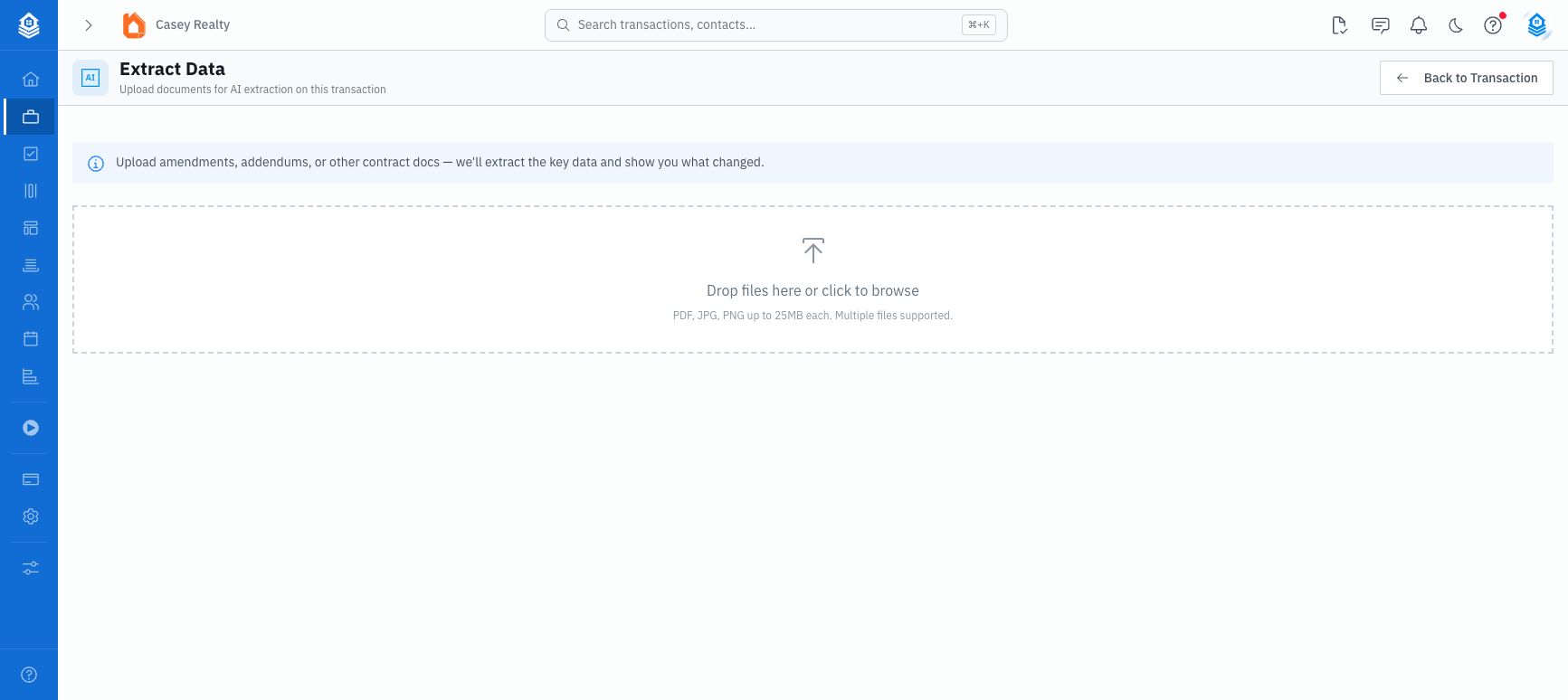
What it extracts
AI looks through all your uploaded documents and pulls out:
- Buyer and seller names
- Property details
- Financial terms (price, earnest money, loan amount)
- Key dates (contract, closing, inspection, financing deadlines)
- Contingency periods
- Agent and lender information
If a field is already filled in, review the suggested value before saving the update.
Review and apply changes
For existing transactions, DocJacket compares extracted values with the current transaction data. The review screen shows:
- Current value
- New extracted value
- A checkbox for each changed field
- Select All and None controls
Only selected differences are sent when you update the transaction. If no differences are found, there is nothing to apply.
Extracted dates can update transaction fields, but timeline key dates are opt-in from the review screen. Toggle on only the extracted dates you want tracked as key dates on the transaction timeline.
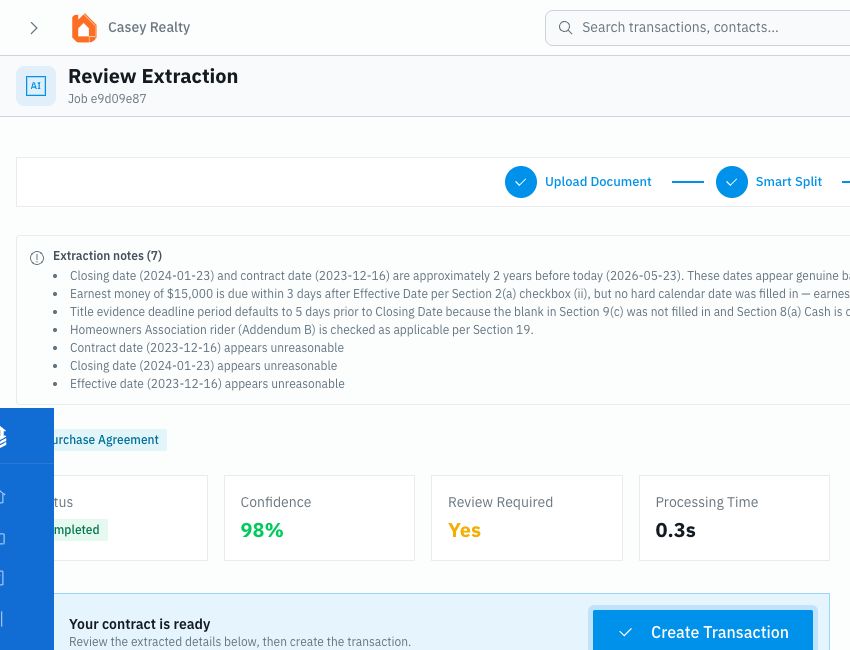
When to use this
- You added documents after creating the transaction — New documents might contain details that weren't in the original contract
- You created the transaction manually — Run extraction to auto-fill fields instead of typing them in
- An amendment changed key terms — Upload the amendment and re-run extraction to catch updated dates or prices
Use Extraction Review if an extraction finished scanning but still shows as awaiting save.