Documents Needed
The Documents Needed checklist shows which files are required for a transaction and whether each one has been received.
You will find it on the transaction's Documents tab, above Documents Received. The header can be collapsed or expanded, and it shows summary chips when required documents exist.
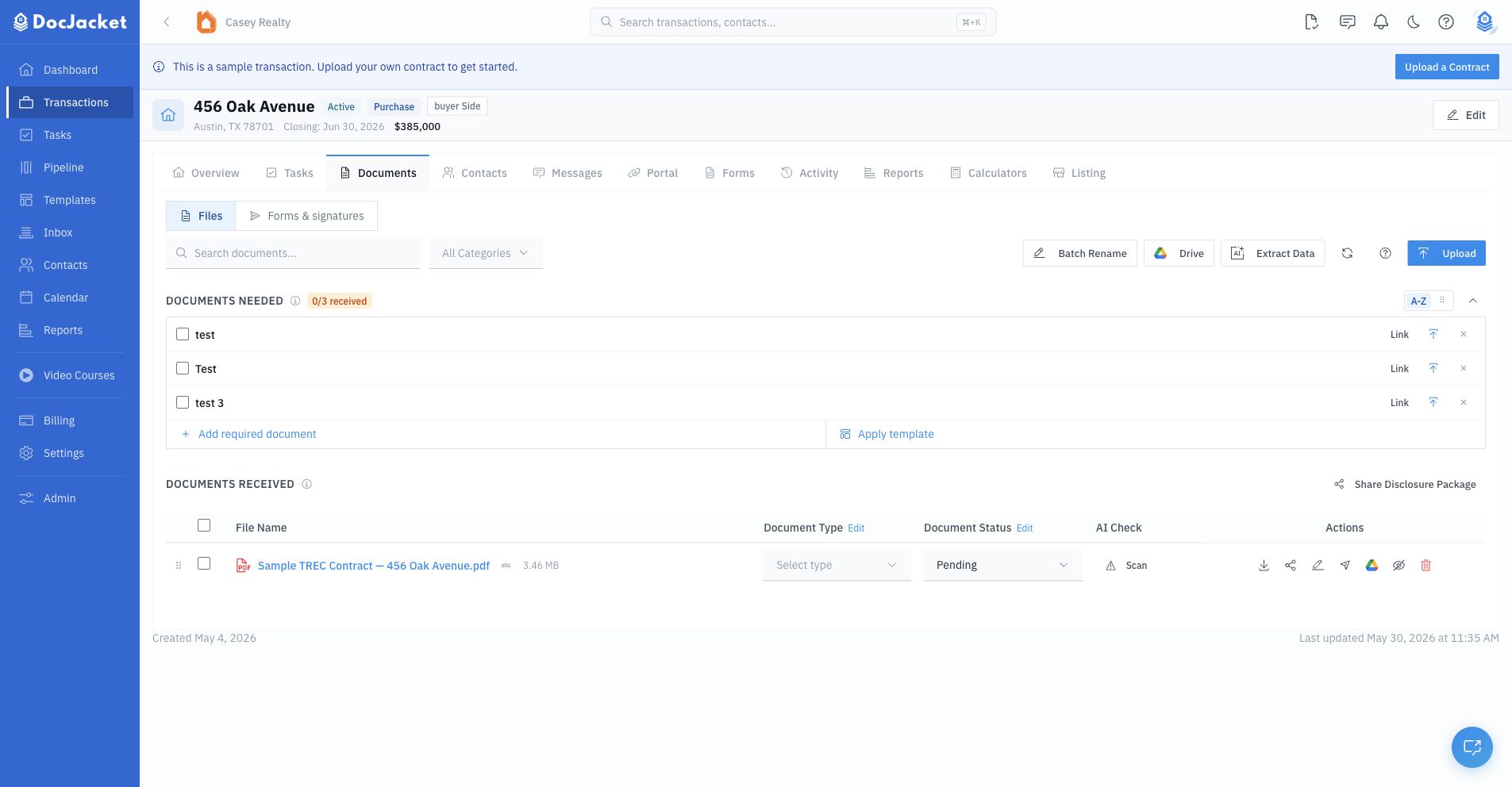
What the checklist shows
The checklist can show:
- Required document name
- Received checkbox
- Due date
- Blocking status
- Received count
- Overdue count
- Blocking-missing count
- Linked uploaded file, when one exists
Use the A-Z and drag-handle controls to switch between alphabetical sorting and custom order. Custom order is saved, while alphabetical mode is best when you just need to scan by name.
Add or apply requirements
You can build the list in two ways:
- Apply template - choose a reusable document template from Templates > Documents
- Add required document - add one required document directly on the transaction
Required documents also appear in SitRep reports, so keeping this checklist current improves status reporting.
Link or upload received files
For each required document, you can:
- Check it off as received
- Link it to an existing upload
- Upload a file directly into that required-document row
- Review linked upload history when more than one file has been attached, with the newest file marked as the latest version
- Remove the requirement if it no longer applies
Uploading from the checklist is best when a file satisfies a specific placeholder, because DocJacket links the new file to that requirement immediately. If the transaction has a linked Google Drive folder, linked uploads can also show an Open in Drive shortcut.
Why this matters
For TCs managing dozens of files per transaction, it's easy to lose track of what's been collected and what's still outstanding. Documents Needed gives you a clear picture so you can:
- Follow up on missing documents before they hold up closing
- Verify everything is in order before the closing date
- Generate a document status report for your team or clients